Viewing Subscription Invoices
Last updated About 1 year ago
Monthly invoices are now stored and accessible within Switchboard Cloud for your convenience.
Billing History
STEP 1
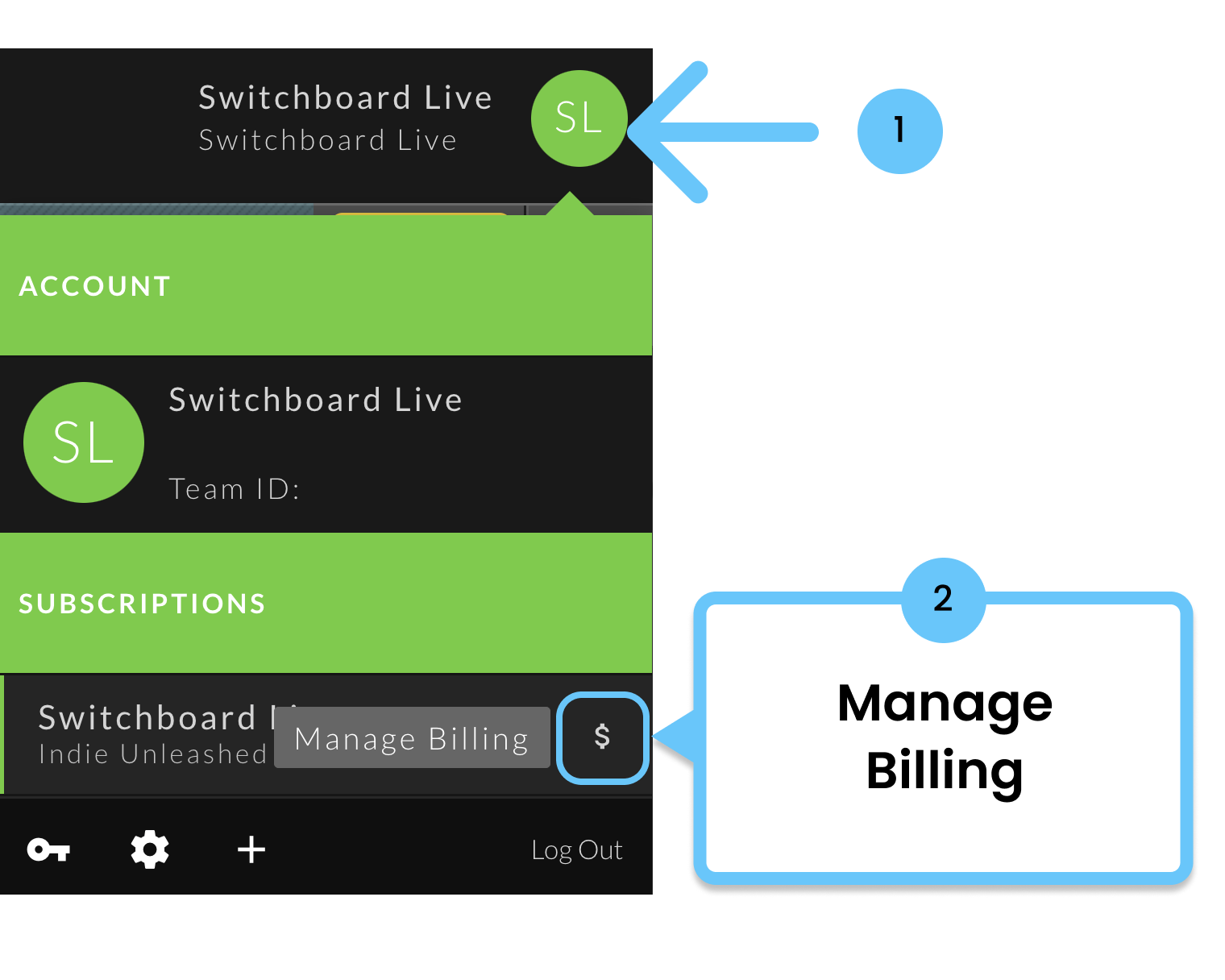
Click on the profile icon top right.
STEP 2
Select click the "$" to Manage Billing.
STEP 3
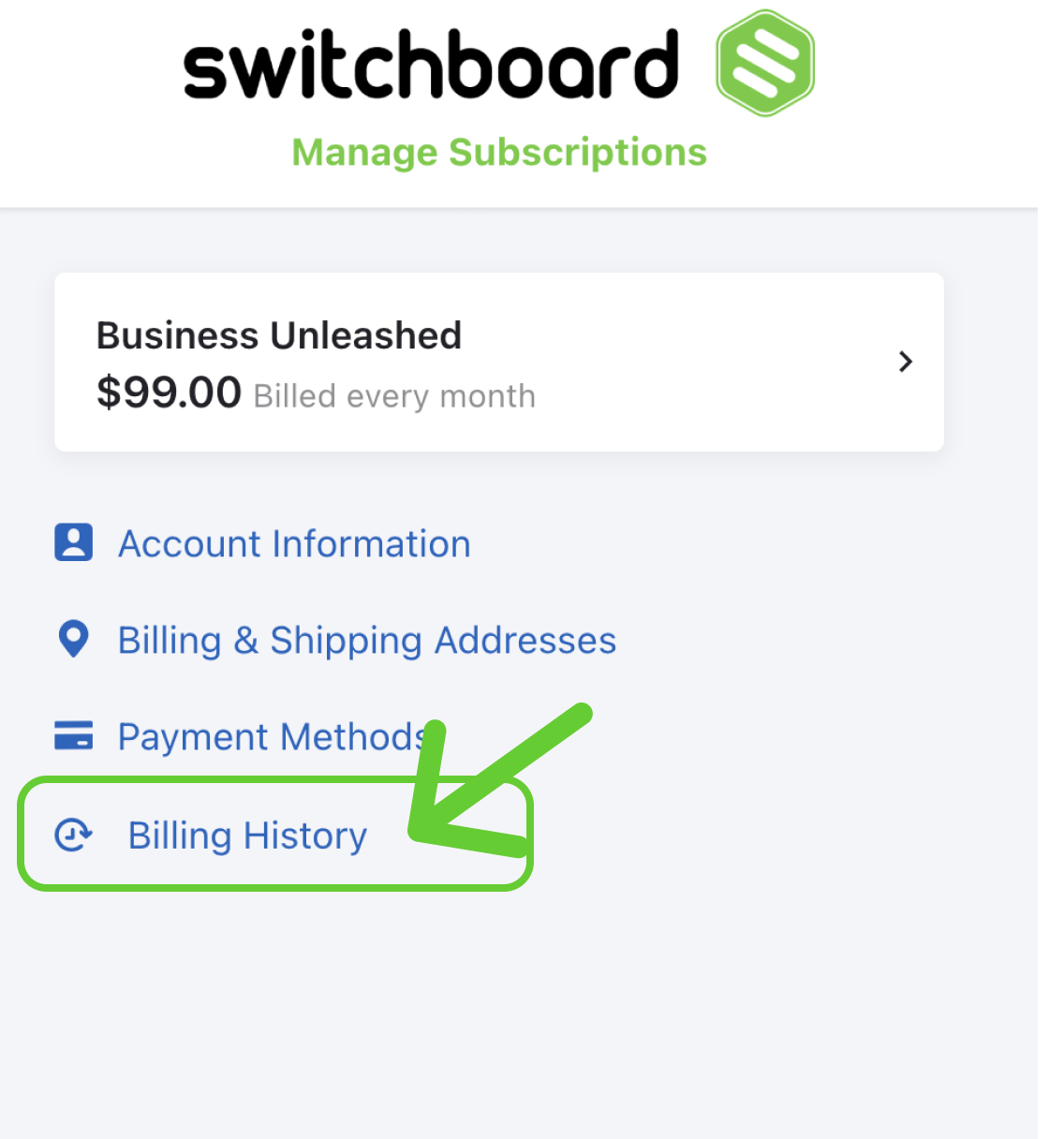
A popup modal labeled Manage Subscriptions will appear.
To view your monthly invoices, click Billing History.
STEP 4
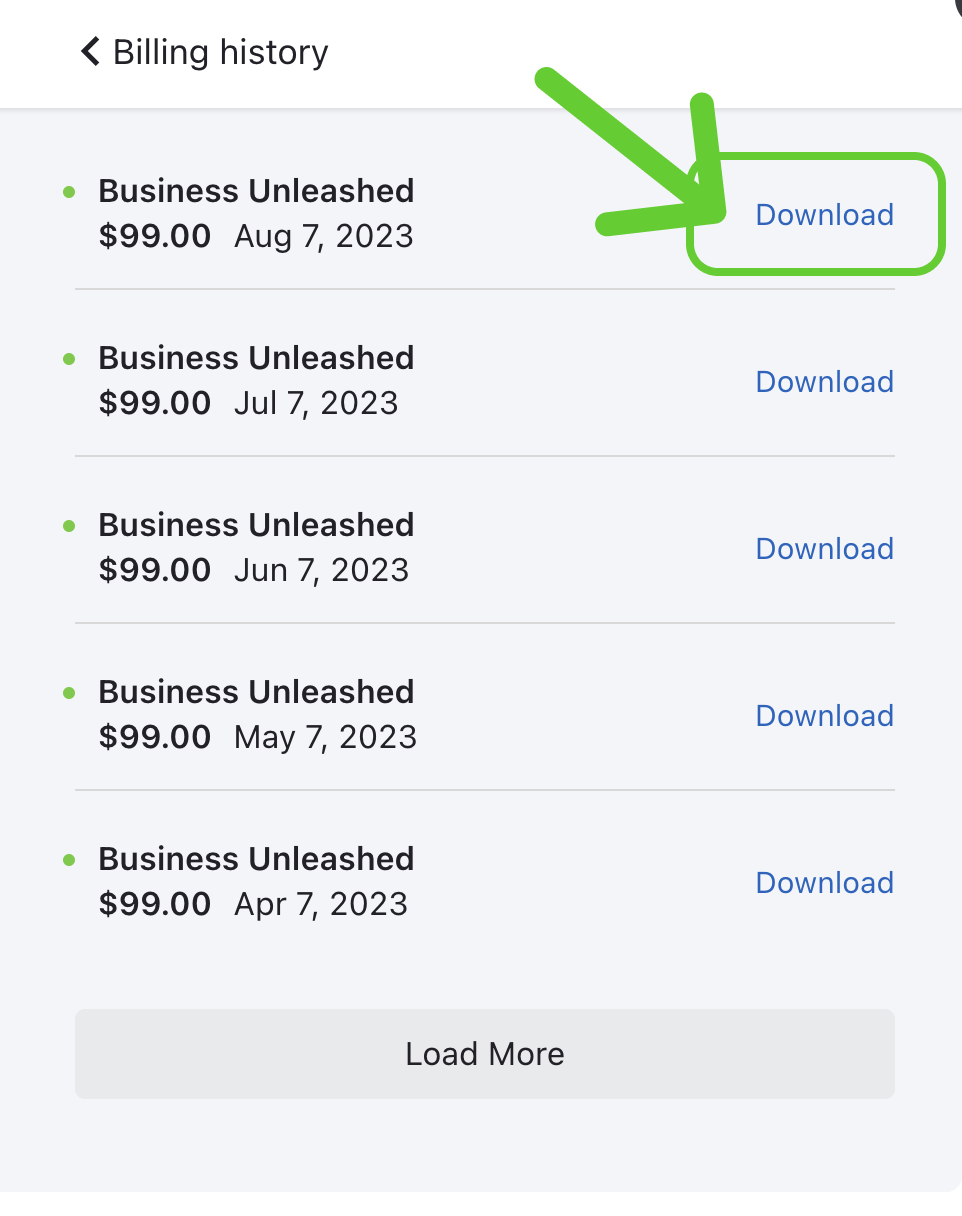
You can download PDFs of your invoices by clicking Download.
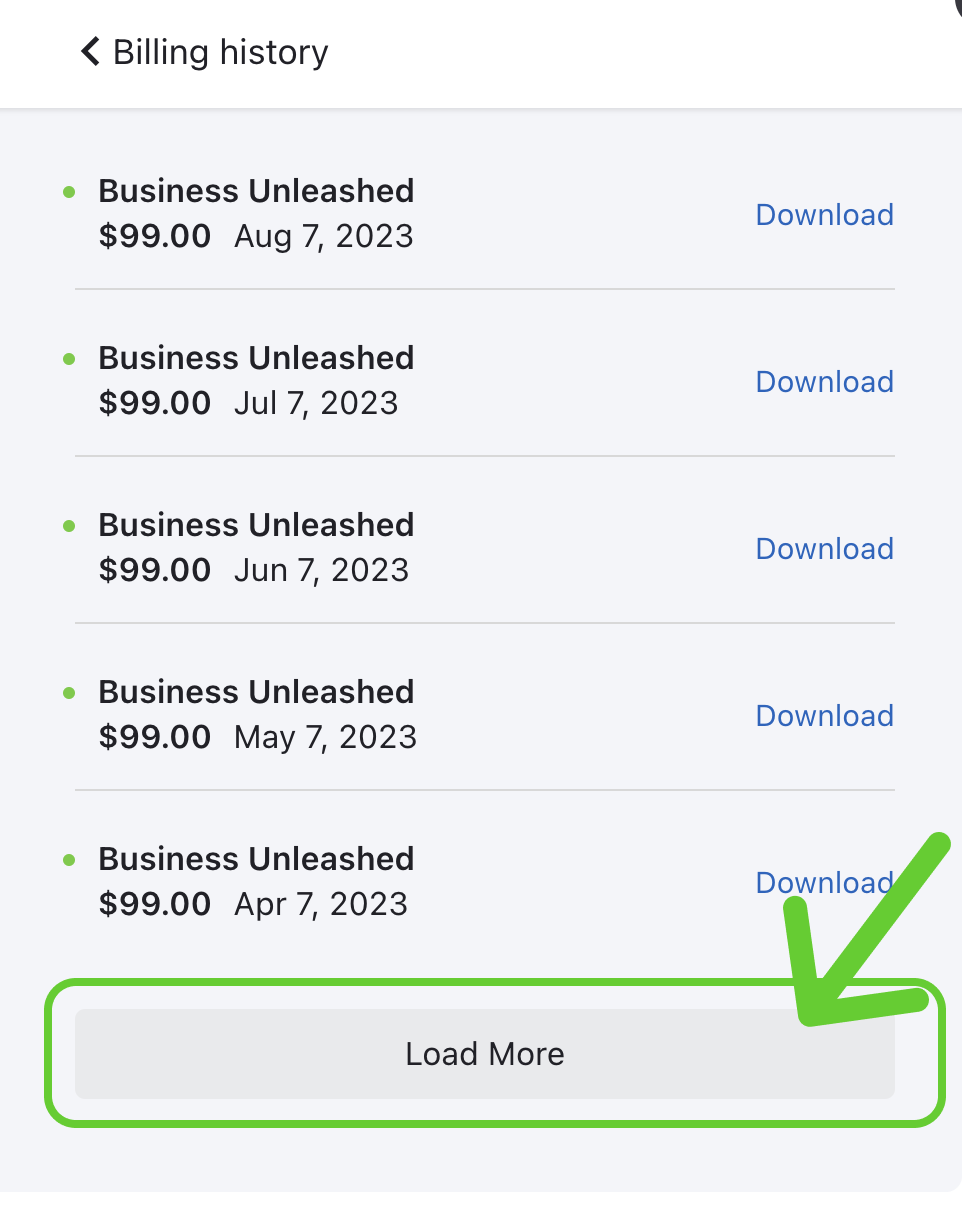
Click "Load More" to view more invoices.
Was this helpful?
Still need help? Ask the team