How to Pay an Outstanding Invoice
Follow the steps below to pay an outstanding invoice and keep your Switchboard Connect Account current.
Last updated About 2 months ago
Click the Main menu top left
Select Management > Billing


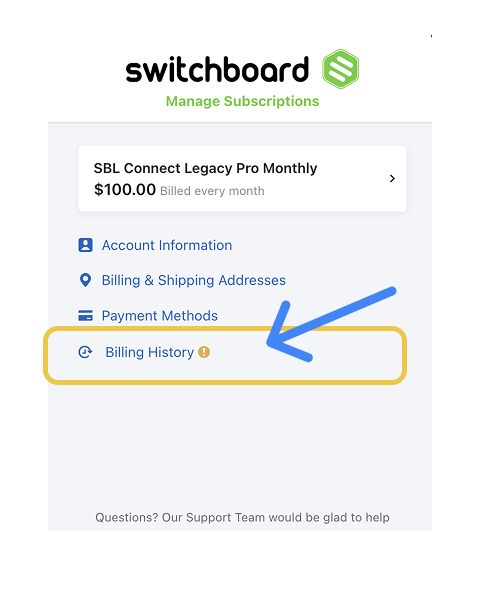
Click Billing History
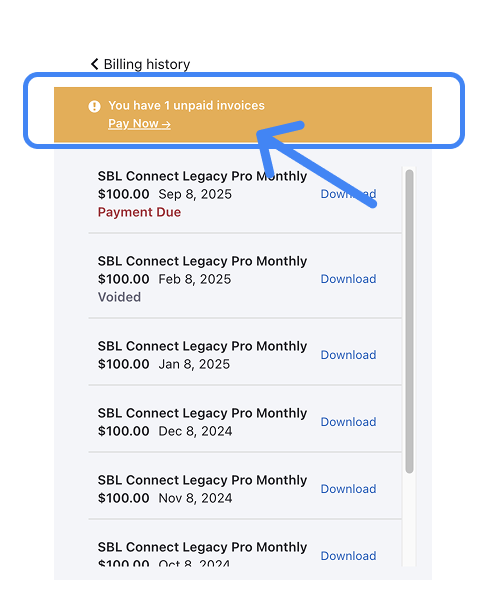
Click Pay Now to view the unpaid invoices.
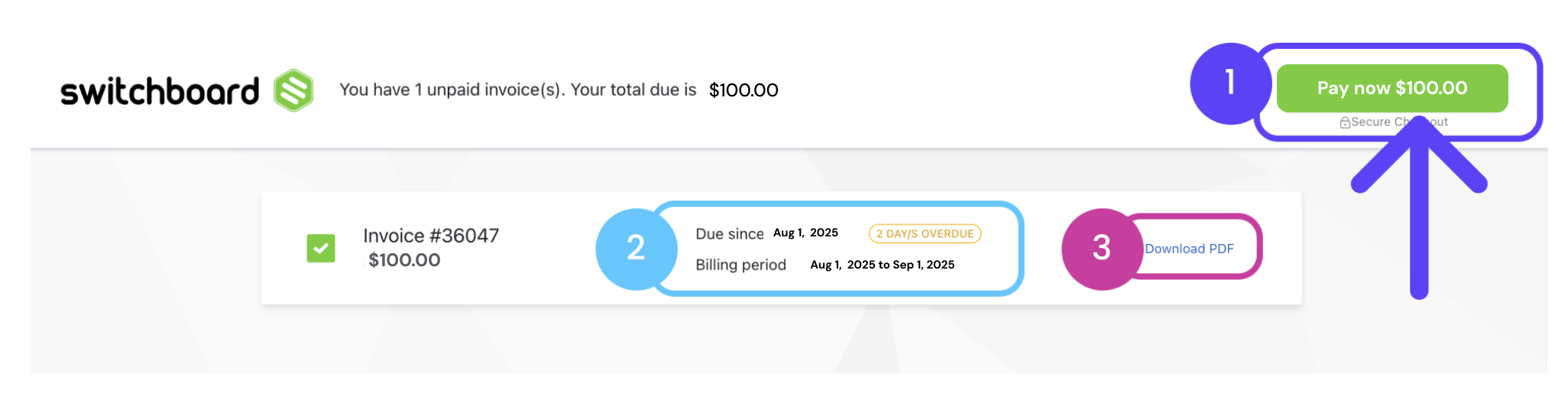
Click the green Pay Now button.
You can also view information about the invoice
Subscription billing period, due date, and how many days overdue.
Download PDF.
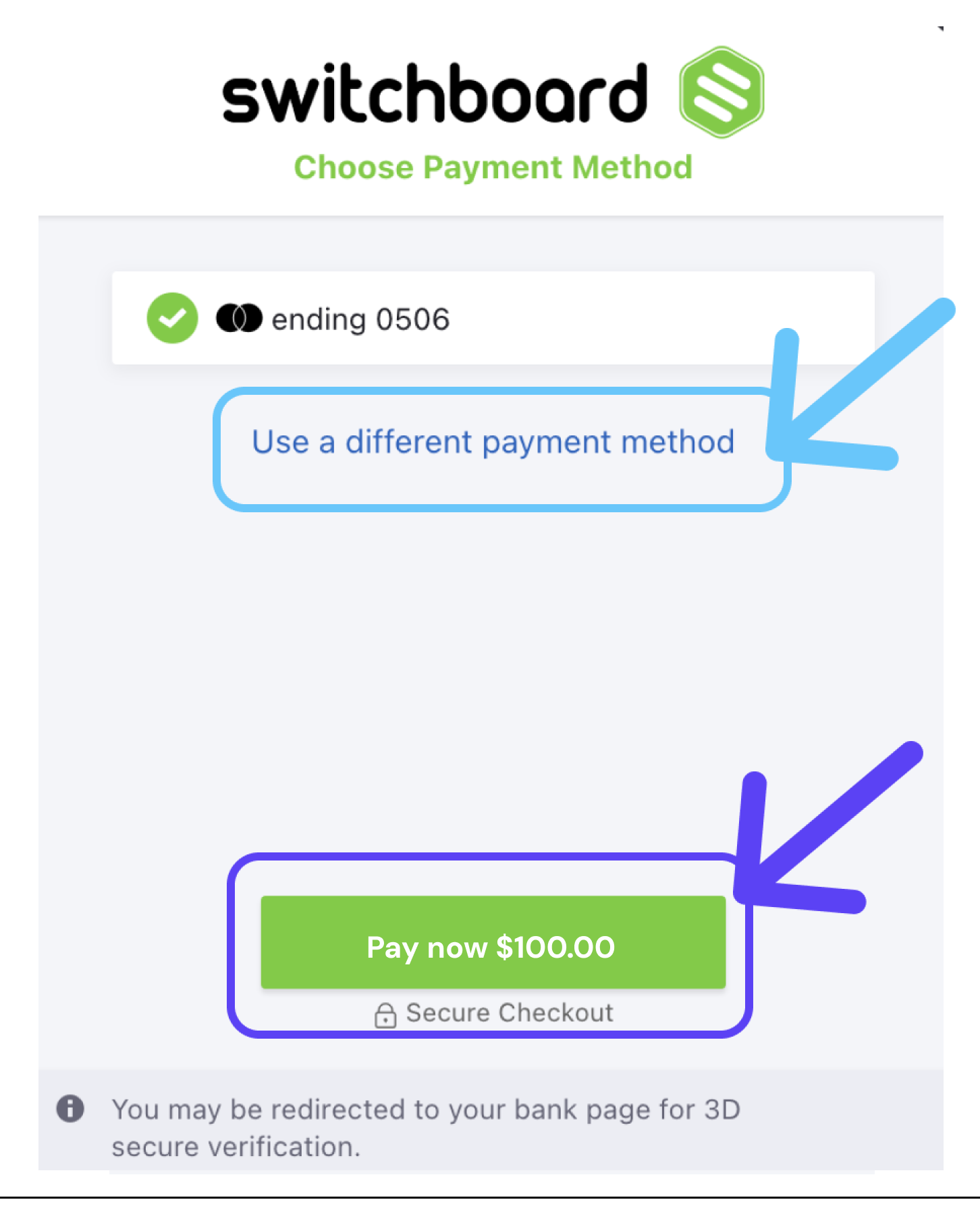
Click the green PAY NOW button or choose a different payment method.
Click Close after completing the successful payment.
